

Updated February 15, 2023
Introduction to AngularJS with Bootstrap
AngularJS with bootstrap is integrated with CSS bootstrap and javascript, which create navigation bars, forms, and tables. We are using bootstrap with AngularJS to create web forms for the web application. Bootstrap is a free and open-source framework for web development; it is nothing but a collection of tools used to create websites and web applications using Angular JS.

Overview of AngularJS with Bootstrap
To implement angular js in our web pages, we need to bootstrap the document of HTML. Bootstrapping involves two parts; the first part defines the application module using the directive of ng-app, and the second is to load the library of angular js within a script tag. Basically ng-app directive will tell the angular js compiler to treat the element as the root of compilation. The ng-app directive is loaded into the HTML tag of html to ensure the entire web page will be included. We can also add it to the element of another container.
AngularJS with Bootstrap Functional
- We can add the element of another container, and the element inside that container is included in the compilation of the angular JS application functionally.
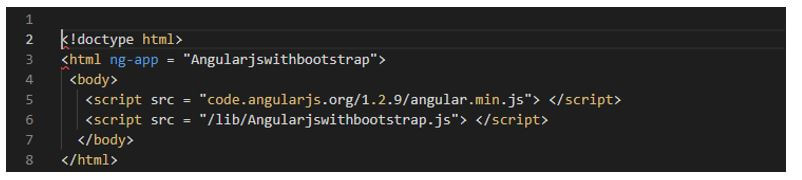
- We can include the library of angular js in our application. The following example shows that implementing an angular js with bootstrap functional in an html document is as follows.
Code:
Output:
- The functional component is known as the bootstrap function of angular, which was present in the core ng-model. Also, it is used to start the application manually.
- Below is the syntax of angular js with bootstrap as follows.
Syntax:
Angular.bootstrap (angular bootstrap element, angular bootstrap modules, angular bootstrap config)- In the above syntax, the angular bootstrap element is nothing but the DOM element considered in the angular application. Furthermore, the modular in angular bootstrap is nothing but the array of loaded modules known as modules, specified optionally. Finally, a config is an object used for options of configuration; this parameter is also used as optional.
Below is an example of angular js with bootstrap functional.
Code:
Angular JS with bootstrap functional
angular.bootstrap()
{{name}}
Output:
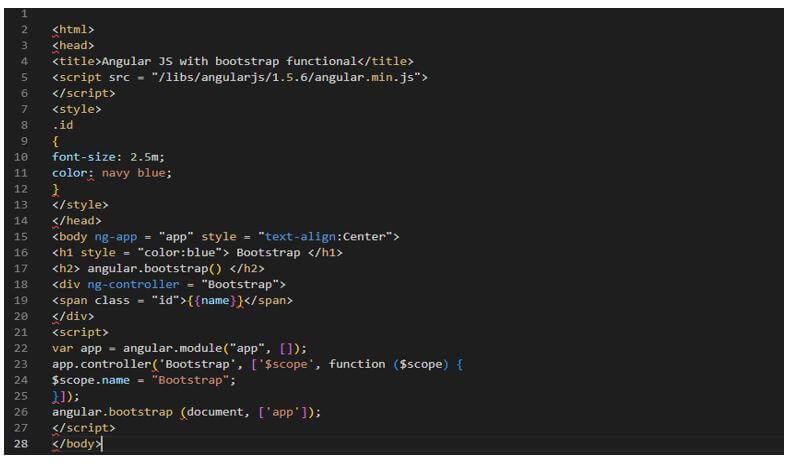
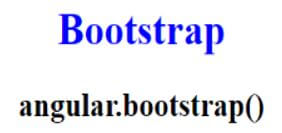
- Angular js with bootstrap function provides significant control on the application initialization. In addition, bootstrap contains readymade CSS styles and plugin components, which we include in our code.
AngularJS with Bootstrap Application
The steps below show to create angular js with the bootstrap application.
Below we are creating the application of angular js bootstrap application. To create the angular js application with bootstrap, we must install angular material CLI in our system.
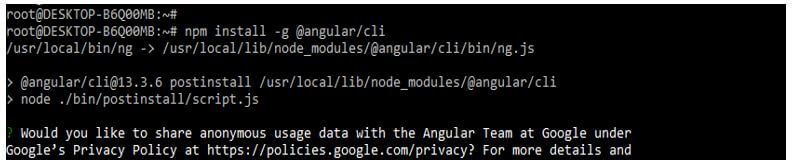
1. In the below example, we are installing angular material CLI on the ubuntu system. In the below example, we install angular CLI using the npm command as follows.
Code:
npm install -g @angular/cliOutput:
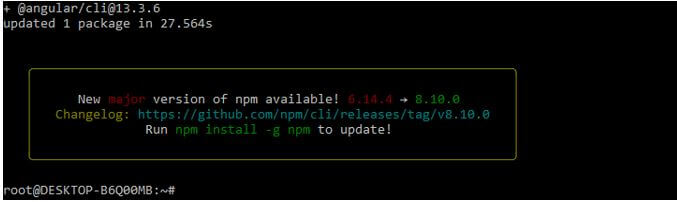
2. In the below example, we are creating a new project name angular-bootstrap; when creating the angular bootstrap project, we are using routing as yes and the style sheet format as yes.
Code:
ng new angular-bootstrapOutput:
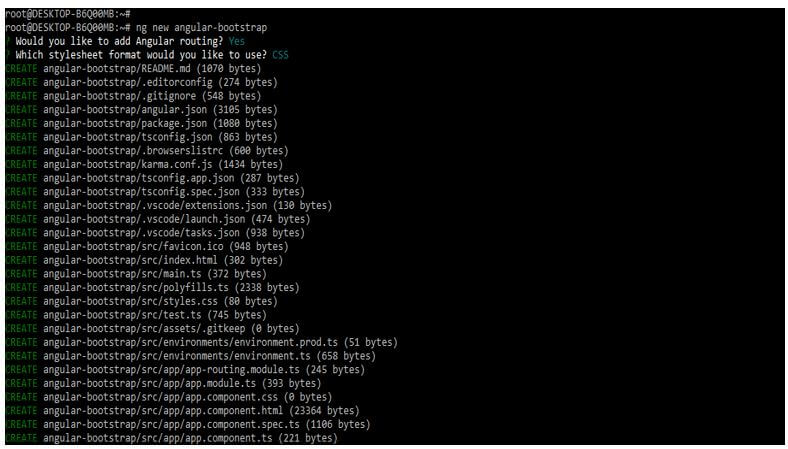
3. Now, we are installing the below packages that are used at the time of developing the application. This package is used to import the module into our application. We are installing these packages by using the npm command.
Code:
npm install [email protected] --save
npm install --save @ng-bootstrap/ng-bootstrap
npm install jquery --save
Output:
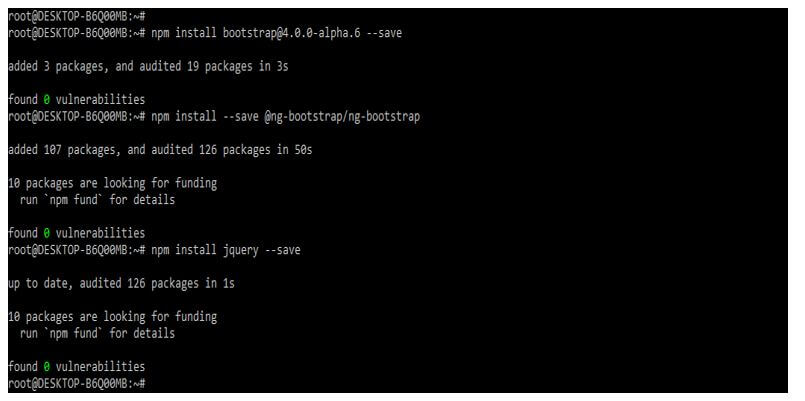
4. Below, we are adding the library to our project. We use the ng add command to add the library to the project. Also, we are setting the global angular material typography style as yes. Finally, we define angular material browser animations as yes as follows.
Code:
cd angular-bootstrap/
ng add @angular/material
Output:
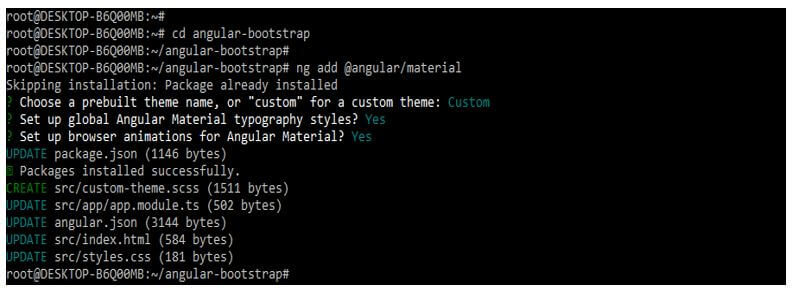
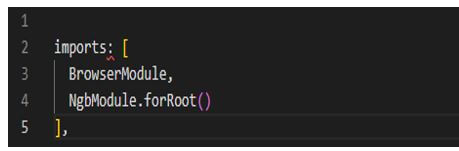
5. Now, we are importing the ng module into the app.module.ts by importing from the @ng-bootstrap/ng-bootstrap.
Code:
imports: [
  BrowserModule,
  NgbModule.forRoot()
],
Output:
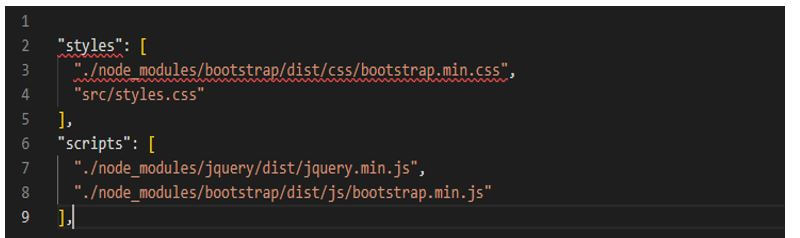
6. We are adding the following code to the angular-cli.json file.
Code:
"styles": [
……
"./node_modules/bootstrap/dist/js/bootstrap.min.js"
],
Output:
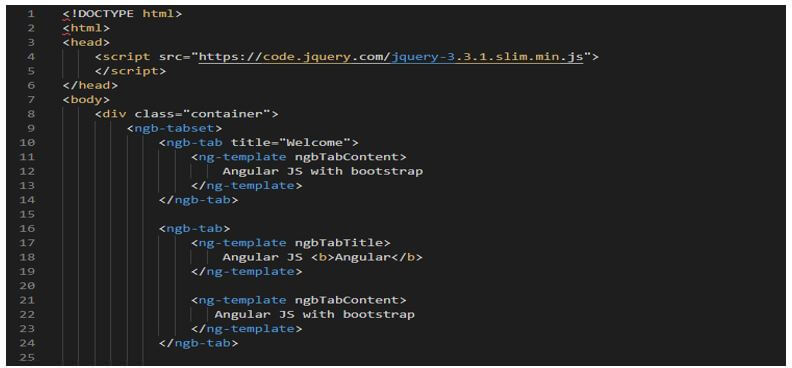
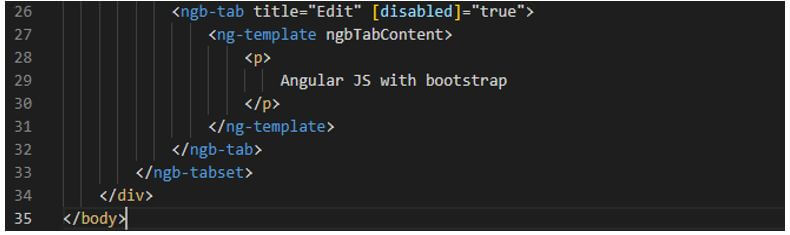
7. Now, we are adding the code below to the app.component.html file.
Code:
……..
Output:
Example of AngularJS with Bootstrap
The below example shows angular js with bootstrap as follows.
In the below example, first, we are creating a new project name angular-bootstrap1; at the time of creating the angular bootstrap project, we are using routing as yes also, we are using the format of style sheet as yes.
Code:
ng new angular-bootstrap1Output:
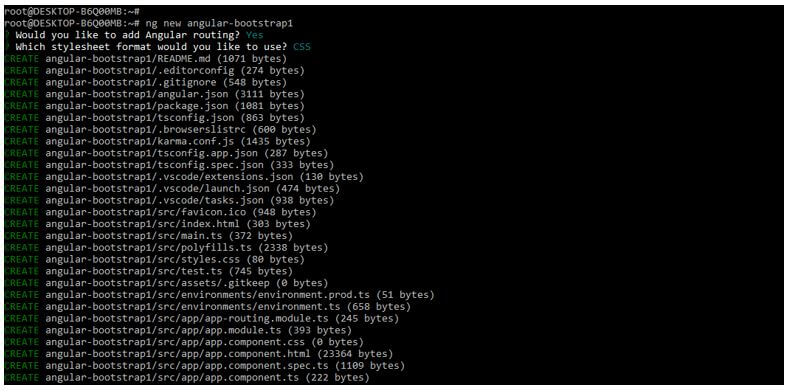
Now we are adding the library to our project as follows. We use the ng add command to add the library to the project. Also, we are setting the global angular material typography style as yes. Finally, we define angular material browser animations as yes as follows.
Code:
cd angular-bootstrap1/
ng add @angular/material
Output:
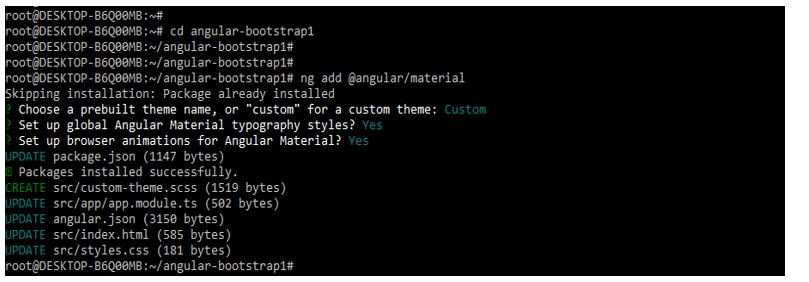
Below we import the ng module into the app.module.ts as follows.
Code:
imports: [
  …….
  NgbModule.forRoot()
],
Output:
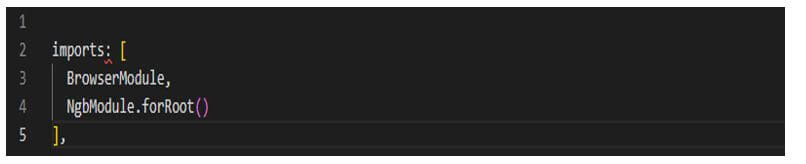
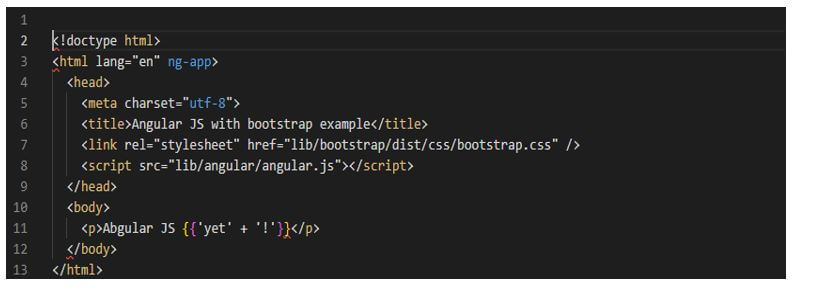
Now we are adding the below code into the app.component.html file as follows.
Code:
…….
Output:
Conclusion
We can add the element of another container, and the element inside that container is included in the compilation of the angular JS application functionally. So, for example, angular js with bootstrap is integrated with CSS bootstrap and javascript, which is used to create navigation bars, forms, and tables.
Recommended Articles
This is a guide to AngularJS with Bootstrap. Here we discuss the introduction, angularJS with bootstrap functional, application, and examples. You may also have a look at the following articles to learn more –
